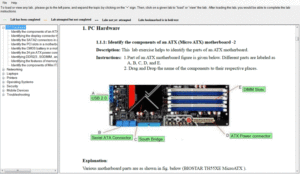
Preparing for the A+ certification is not only about reading concepts – it requires consistent practice, real exam experience, and hands-on troubleshooting skills. To support learners more effectively, the Practice Exams with Lab Simulator for A+ available on simulationexams.com has been newly updated with improved content, enhanced labs, and a smoother exam experience.
- This complete package combines:
- A+ Core 1 Practice Exam Simulator
- A+ Core 2 Practice Exam Simulator
- Interactive A+ Lab Simulator
All three components are delivered in a single, easy-to-use application designed to guide candidates from learning to certification readiness.
A Complete Learning Path in One Place
Instead of switching between multiple tools, this software provides a structured preparation journey:
- Understand concepts through detailed explanations.
- Test knowledge using realistic practice exams.
- Apply skills inside hands-on lab simulations.
This step-by-step approach helps learners build confidence gradually and ensures they are fully prepared for the real certification exam.
Key Improvements in the latest update
The Core 1 and Core 2 exam simulators now feature:
- Carefully reviewed and corrected questions
- Clearer answer explanations for better understanding
- Coverage aligned with current A+ exam objectives
These refinements help candidates focus on relevant topics that matter most for certification success.
More Realistic Exam Environment
The updated simulator experience includes:
- Exam interface similar to the actual certification test
- Timed exam mode for real exam pressure
- Detailed score reports highlighting strengths and weak areas
This allows learners to practice strategically and improve performance before the real exam day.
Strengthened Hands-On Lab Experience
Practical skills are essential for IT professionals.
The Enhanced A+ Lab Simulator now provides:
- Updated troubleshooting and configuration scenarios
- Improved usability and smoother navigation
- Real-world tasks that reflect workplace situations
These labs help candidates move beyond theory and gain true technical confidence.
Why this update Matters for A+ Aspirants
With this improved software, learners can:
- Prepare using accurate and up-to-date content
- Experience real exam-like testing conditions
- Develop practical troubleshooting abilities
- Monitor progress throughout preparation
This makes the software suitable for beginners, students, and working professionals aiming to earn the A+ certification.
Start Practicing with Confidence
The updated Practice Exam with Lab Simulator for A+ on simulationexams.com delivers a balanced combination of knowledge testing and practical learning in one powerful tool.
If you are planning to achieve A+ certification, this all-in-one preparation solution can help you study smarter, practice better, and succeed faster.
Begin your preparation today and take the next step toward becoming a certified IT professional
Download Link for A+ Labsim: Download A+ Labsim
 Simulationexams.com released practice tests with lab exercises for Comptia A+ certification exams preparation. This is a combined product that offers both the practice exams as well as the labs for hands-on practice. The software is useful for practicing A+ exams along with simultaneous labs preparation. The practice tests features are given below:
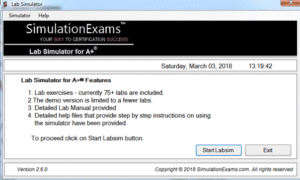 Currently about 75 labs are available with free demo version and detailed lab manual. Download the free version and install: