2.6 Network Utilities:
ARP Utility: The arp utility shows whether an IP address is being resolved to the MAC address.
NETSTAT utility: The netstat utility produces TCP/IP statistics, and nbtstat produces NetBIOS over TCP/IP statistics.
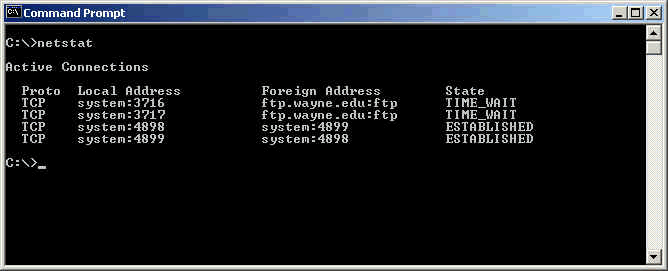
A typical output from netstat command is shown in the figuer above. It shows the mapping of local addresses to foreign addresses.
TRACERT Utility: The tracert utility finds the route from the computer to any computer on a network.
Ping Utility: Ping determines if a particular IP host is responding.
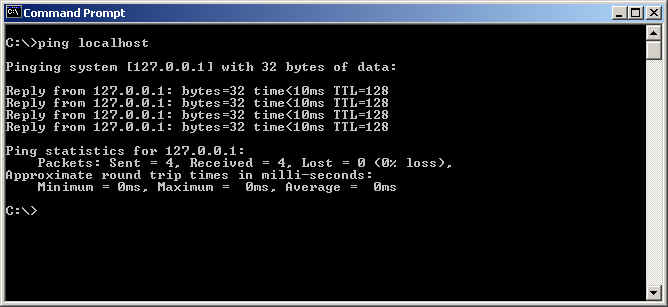
A ping response is shown in the figure above. Note that the local host is always resolved to IP address 127.0.0.1. The example ping command given in the figure ensures that the local host is reachable.
FTP utility:The ftp utility allows reliably downloading and uploading files from and to an FTP server across the Internet.
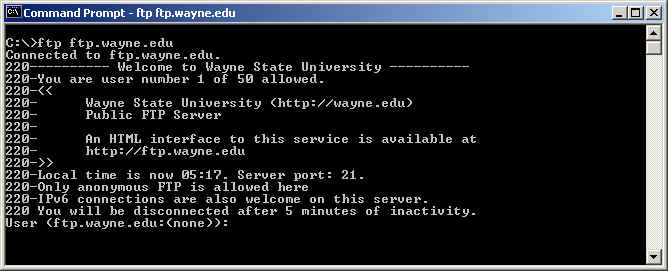
A typical FTP login screen is shown in the figure above. You can login to wayne.edu anonymously, using username "anonymous", and any password. This is possible only because wayne allows anonymous login.
Alternatively, you can also use your browser window to ftp to a site. In such case, you need to use the qualified address ftp://ftp.wayne.edu.
ipconfig and ifconfig:Ipconfig displays TCP/IP configuration information for Windows NT and later operating systems. The ifconfig utility performs a similar function in UNIX environments, in addition to perform certain interface configuration tasks.
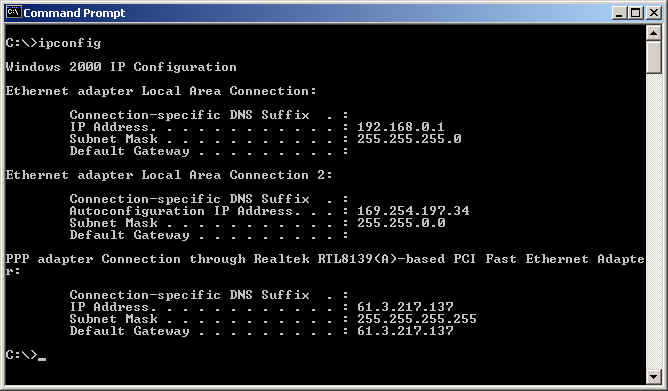
The figure above shows a typical ipconfig command output. It is useful for troubleshooting network connections.
winipcfg utility:Winipcfg displays TCP/IP configuration information for Windows 95/98.
nslookup and dig utilities:Nslookup and dig displays DNS resolution information.
Disclaimer: Simulationexams.com is not affiliated with any certification vendor, and Sim-Ex™ Practice Exams are written independently by SimulationExams.com and not affiliated or authorized by respective certification providers. Sim-Ex™ is a trade mark of SimulationExams.com or entity representing Simulationexams.com.A+™,Network+™,Security+™,Server+™ are trademark of CompTIA® organization.
